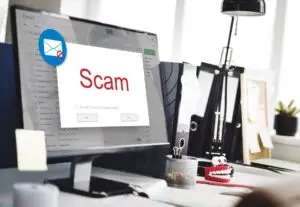
Cybercriminals are getting smarter every day, and one of the most common threats businesses and individuals face is phishing. Phishing emails and text messages are designed to trick you into clicking malicious links, downloading harmful attachments, or giving away sensitive information like passwords or credit card numbers.
The good news? With a few best practices, you can dramatically reduce your risk of falling victim.
🔎 How to Spot Phishing Emails
Check the sender address – Fraudulent emails often come from addresses that look similar but are slightly off (example:
support@micros0ft.cominstead ofsupport@microsoft.com).Watch for urgent or threatening language – Phrases like “your account will be closed” or “immediate action required” are red flags.
Hover before you click – Move your mouse over links to preview the real destination before clicking. If it looks suspicious, don’t click.
Unexpected attachments – Never download files you weren’t expecting, especially ZIP or EXE files.
🔑 Best Practices for Passwords
Use long, unique passwords – Aim for 12+ characters and avoid reusing the same password across accounts.
Leverage a password manager – Tools like LastPass, 1Password, or Bitwarden securely store and generate strong, unique passwords for every account.
Don’t share passwords – Treat them like your house keys; never hand them out casually.
🔐 Why MFA is Critical
Even with a strong password, accounts can be compromised. Multi-Factor Authentication (MFA) adds a second layer of security. With MFA, even if a hacker has your password, they can’t access your account without the additional factor (such as a code sent to your phone or generated by an authenticator app).
Best practices with MFA:
Use an authenticator app (Microsoft Authenticator, Google Authenticator, or Authy) instead of SMS text codes when possible.
Enable MFA on all critical accounts: email, financial accounts, Microsoft 365/Google Workspace, and business apps.
Never approve MFA requests you didn’t initiate—if you get a code or push notification out of the blue, assume it’s an attacker trying to access your account.
✅ Final Thoughts
Phishing attacks are only getting more sophisticated, but with good habits and tools in place—like strong passwords and MFA—you can make yourself a much harder target.
If you’re unsure whether an email is safe, it’s always better to pause and verify with IT before taking action. Staying cautious can save your data, money, and reputation.
🚀 Strengthen Your Business Security with Advanced Protection
Strong passwords and MFA are essential, but for businesses, they are only the starting point. Today’s cyber threats require enterprise-level defenses. We can help you go further with:
SOC (Security Operations Center) – 24/7 monitoring to detect and respond to threats in real time.
MDR (Managed Detection & Response) – Proactive threat hunting and automated response to stop attacks before they spread.
EDR (Endpoint Detection & Response) – Advanced protection for laptops, desktops, and servers, ensuring devices are continuously monitored.
Email Security Gateways (Proofpoint & others) – Industry-leading filtering and phishing protection that keeps malicious emails from ever reaching your inbox.
👉 Contact us today to learn how we can build a layered security approach that keeps your business safe from evolving cyber threats.