Why Gmail Security Matters for Businesses
For small businesses and professionals, Gmail isn’t just email—it’s a gateway to sensitive data, financial accounts, and customer information. That makes it one of the most common targets for hackers.
If cybercriminals compromise your Gmail account, they can use it to spread phishing attacks, reset passwords on other services, or even trick your contacts into sending money. Recognizing the warning signs early can protect your reputation and prevent financial loss.
Here’s a security checklist every business owner and employee should know.
🔍 Signs Your Gmail Account May Be Compromised
Unfamiliar logins – Check Google’s Recent Security Activity for strange devices or locations.
Security alerts – Warnings from Google about login attempts or password changes.
Password reset emails you didn’t request – Attackers may be trying to hijack your account.
Changed recovery details – Make sure your recovery phone/email hasn’t been altered.
Suspicious third-party apps – Review connected apps in Google Account → Security.
📧 Suspicious Email Behavior to Watch For
Emails in Sent Items or Trash you didn’t send.
Bounce-back messages for emails you didn’t write.
New filters or forwarding rules—hackers often hide or redirect your mail.
Complaints from contacts receiving phishing or spam from your address.
⚙️ Check Your Gmail Settings
Changed display name or signature—attackers impersonate you by altering details.
New delegates with access to your account.
Unfamiliar labels or folders that could hide evidence of hacking.
🔐 Other Red Flags
Locked out of your account—your password may have been changed.
2-Step Verification disabled without your knowledge.
Unexpected authentication codes or recovery attempts.
Strange activity in Google Drive, Docs, or Calendar.
✅ What To Do if Your Gmail Has Been Hacked
If you spot these warning signs, act fast:
Change your Gmail password immediately.
Update recovery options (phone and email).
Revoke suspicious app access.
Run antivirus scans on all devices.
Turn on 2-Step Verification for extra protection.
Notify your contacts so they don’t fall for scams.
💡 Pro Tip: Use a Passkey for Maximum Security
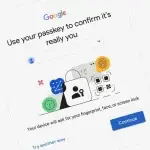
Google now supports passkeys, a stronger and phishing-resistant way to log in without relying on traditional passwords. Passkeys use your phone’s biometric authentication (fingerprint, Face ID, or PIN) for secure sign-ins.
👉 Learn how to set up a Google passkey here »
Protecting Your Business from Gmail Attacks
Hackers don’t just target individuals—they often go after small businesses, knowing many lack advanced email security. One compromised account can lead to wire fraud, data theft, or ransomware.
At TMD Technology Services, we help protect businesses with:
Advanced email security filtering
Multi-Factor Authentication (MFA) enforcement
24/7 monitoring for suspicious activity
Backup and recovery solutions to minimize downtime
Final Thoughts
Your Gmail account is a critical part of your digital identity—and your business security. By learning the warning signs of a compromised Gmail account and acting quickly, you can prevent a small problem from becoming a costly disaster.
👉 Need help securing your business email? Contact TMD Technology Services today to strengthen your Gmail security and protect your company from cyber threats.